Guide
Drill in — one keystroke deeper
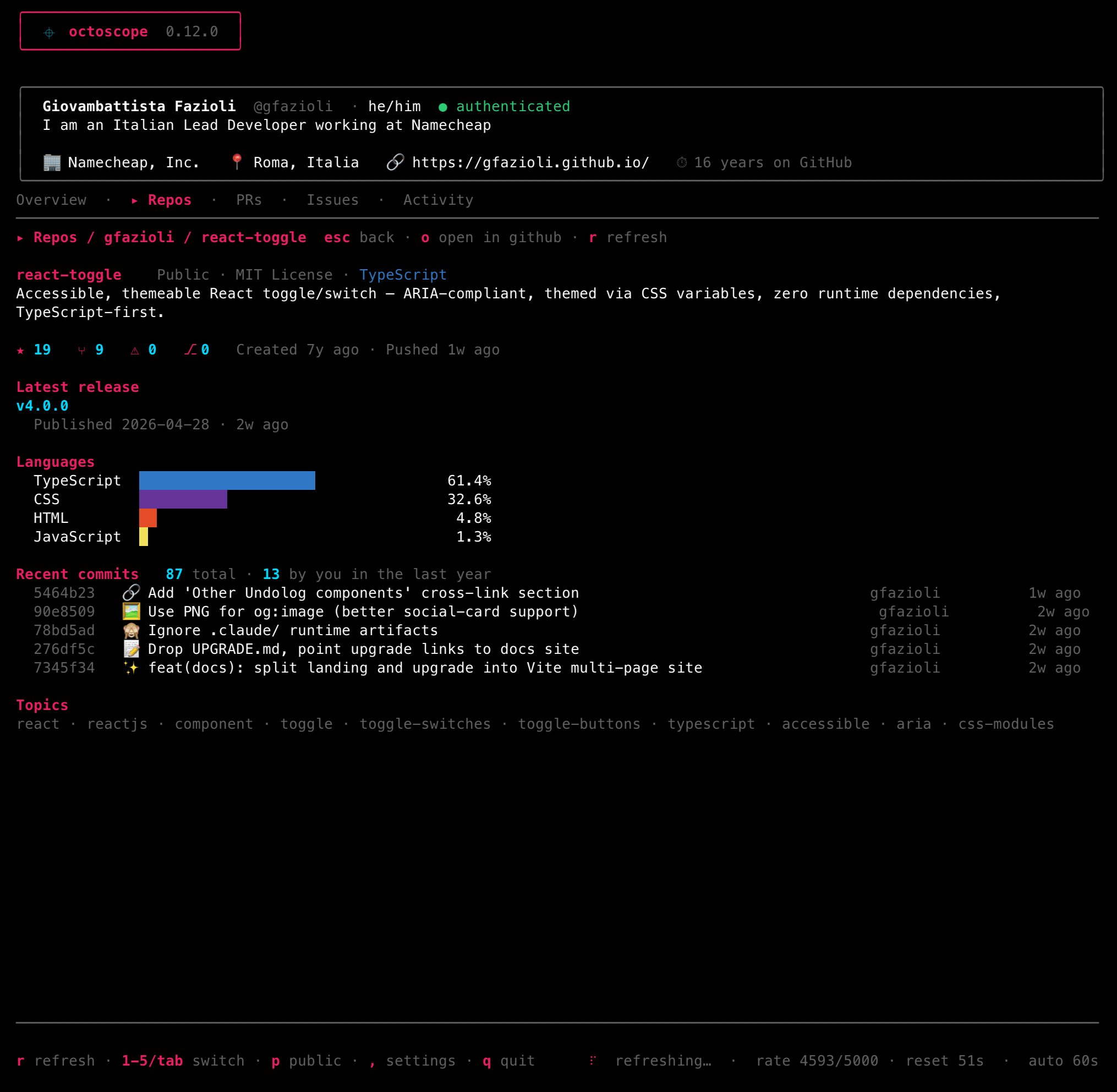
Press Enter on any row and octoscope opens a rich detail view of that repo, pull request or issue — without losing your place in the list.
What you can reach
- Repos → description, languages, release, a Checks section (c expands it past the first eight), Dependabot alerts where GitHub shows them to you — write access or above, unless an organisation keeps them to its admins (since v0.38.0: the open ones by severity, the most severe five with the package and whether a fixed version exists; none open and off for this repository are said rather than left blank), a 12-month star-history sparkline — v toggles it between density and a cumulative curve — and, since v0.38.0, traffic: views and clones over the last 14 days, one sparkline each. GitHub shows traffic only to people who can push to the repository, so on anyone else's the section is simply not there, as on github.com.
- Pull requests → metadata, reviewers, timeline, and an inline diff viewer (f → files → Enter). Since v0.38.0, a PR that is one layer of a stacked pull request also shows the Stack: up to 20 of its layers in order from the base branch (any beyond are counted), each with its state, this one marked — what it sits on, and whether that has landed. The section is read on its own, with a few seconds' budget: if that read fails or is slow, you lose the section, never the drill-in.
- Issues → the full body rendered as markdown, labels and timeline.
- Gists → the one that goes two levels deep: enter opens a multi-file gist's file list, enter again opens a file — syntax-highlighted and scrollable — and c there copies the code rather than the link. A one-file gist opens straight into the file, because that was the only thing there was to see. GitHub truncates very large files and a gist can hold a binary; both are said out loud rather than rendered as noise.
Reached from the action menu
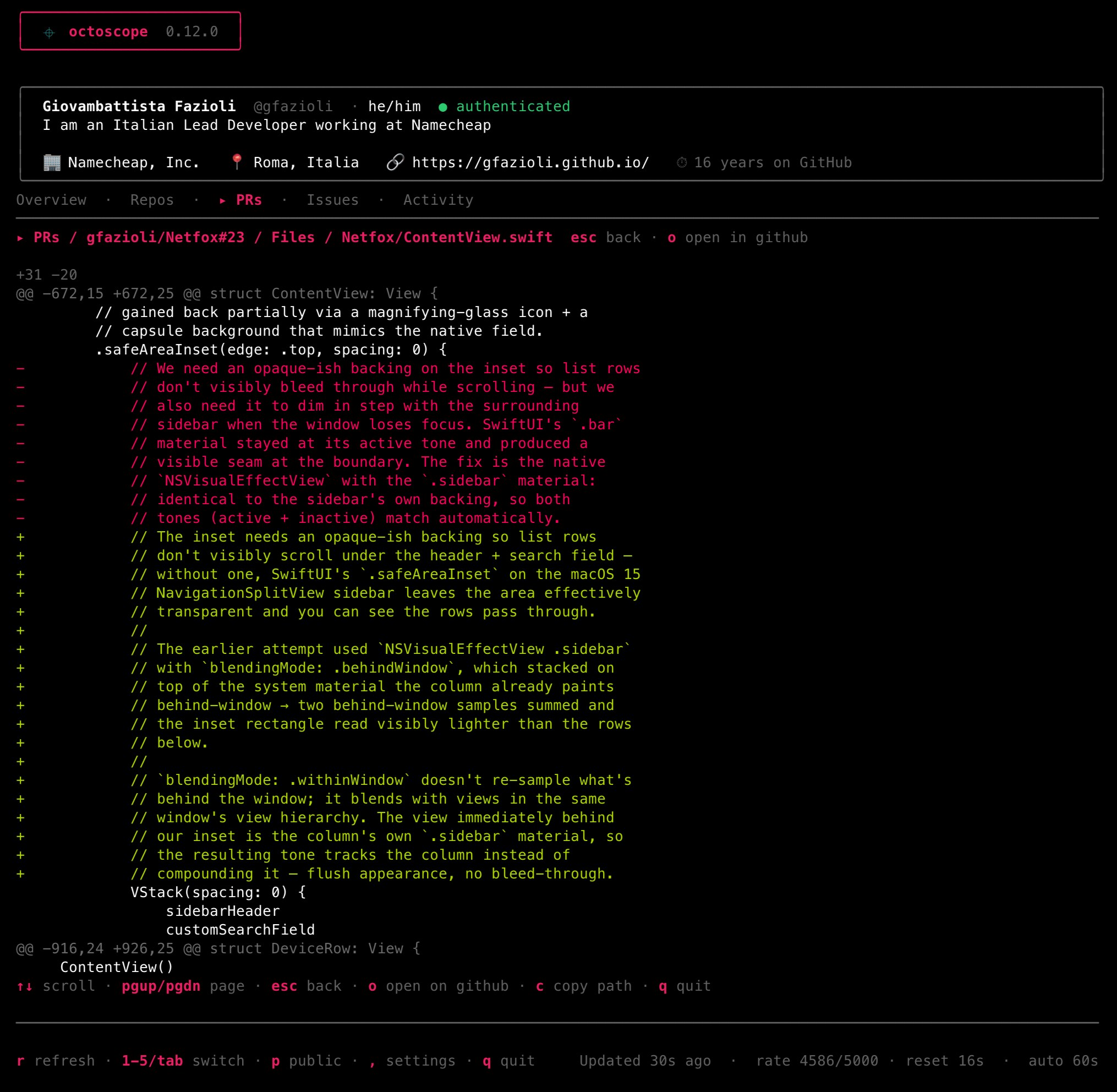
Press space on any list row — Repos, PRs, Issues, Gists or Inbox — for its action menu — open on github.com, copy the URL, view details, and (on a repo) run the integrity scan.
Supply-chain integrity scan
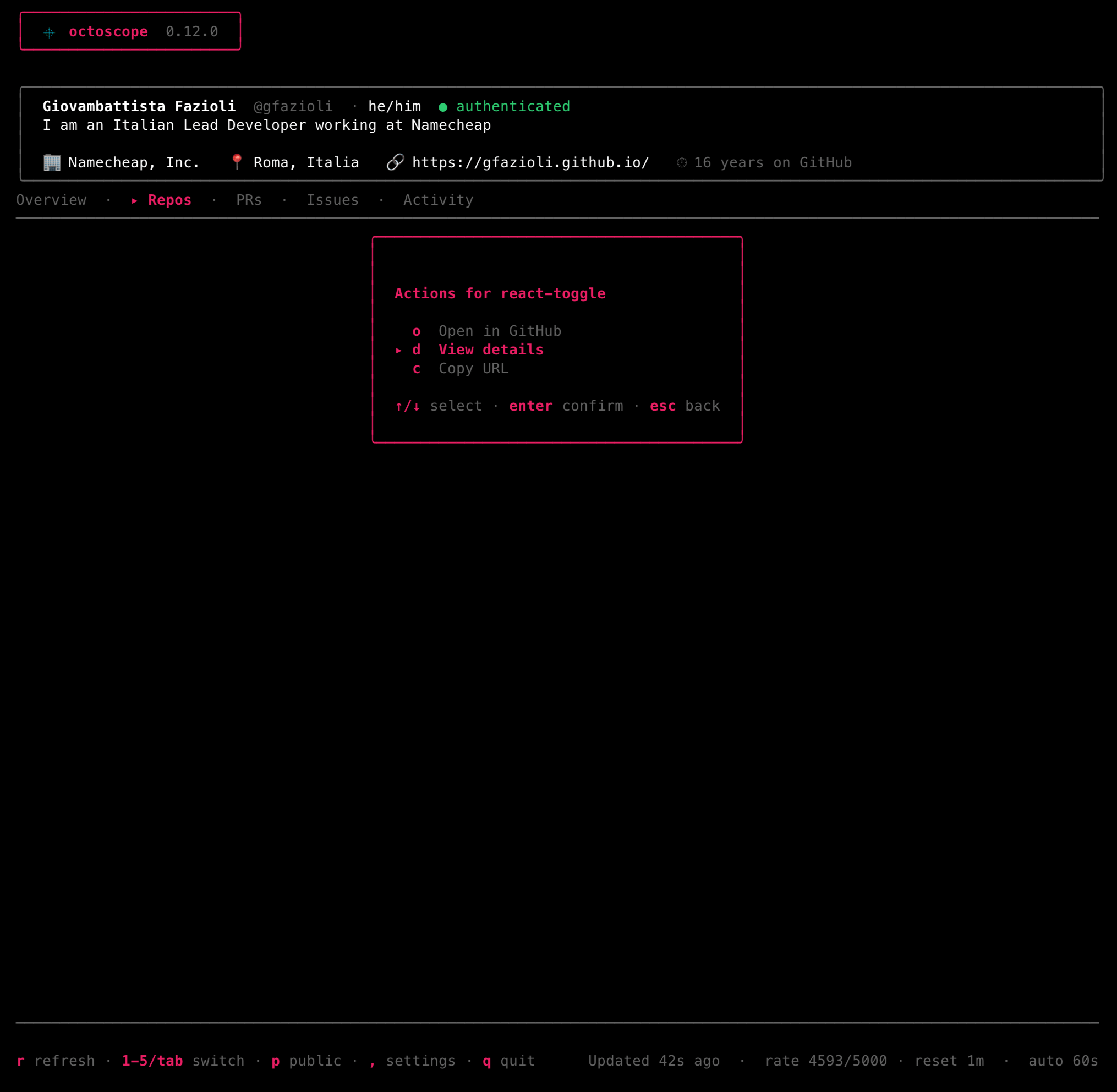
An on-demand, read-only check for the Shai-Hulud / Miasma class of self-replicating implant — the kind pushed to your own repos via a stolen token, that auto-executes the moment a repo is opened in an AI editor or npm install-ed.
It scores four filename-agnostic axes, explains the verdict with the evidence behind it — heaviest first, so what drove the verdict is what you read first — and now openly declares when its coverage was partial, because in a security tool a false negative is the expensive direction to be wrong in.
A branch tip wearing the GitHub Actions identity without GitHub's signature is the forgery the reference worm used — and also what any workflow that pushes with git produces. Since v0.38.0 the scan reads the last ten changes of each file on that branch that can run code, and scores the tip when such a commit is among them, when the branch carries an anomalous payload, or when it cannot tell; otherwise the provenance table calls it an unsigned bot, not forged.
Verdicts run clean → watch → suspicious → likely compromised. When there's something to act on, y copies a remediation script and the report deep-links the right OAuth-grant revoke pages. It never mutates the repo.
To ask the question of every repository at once, octoscope --scan sweeps the default branch of each one you own or watch and prints a report — see Scripting.
What changed since last time
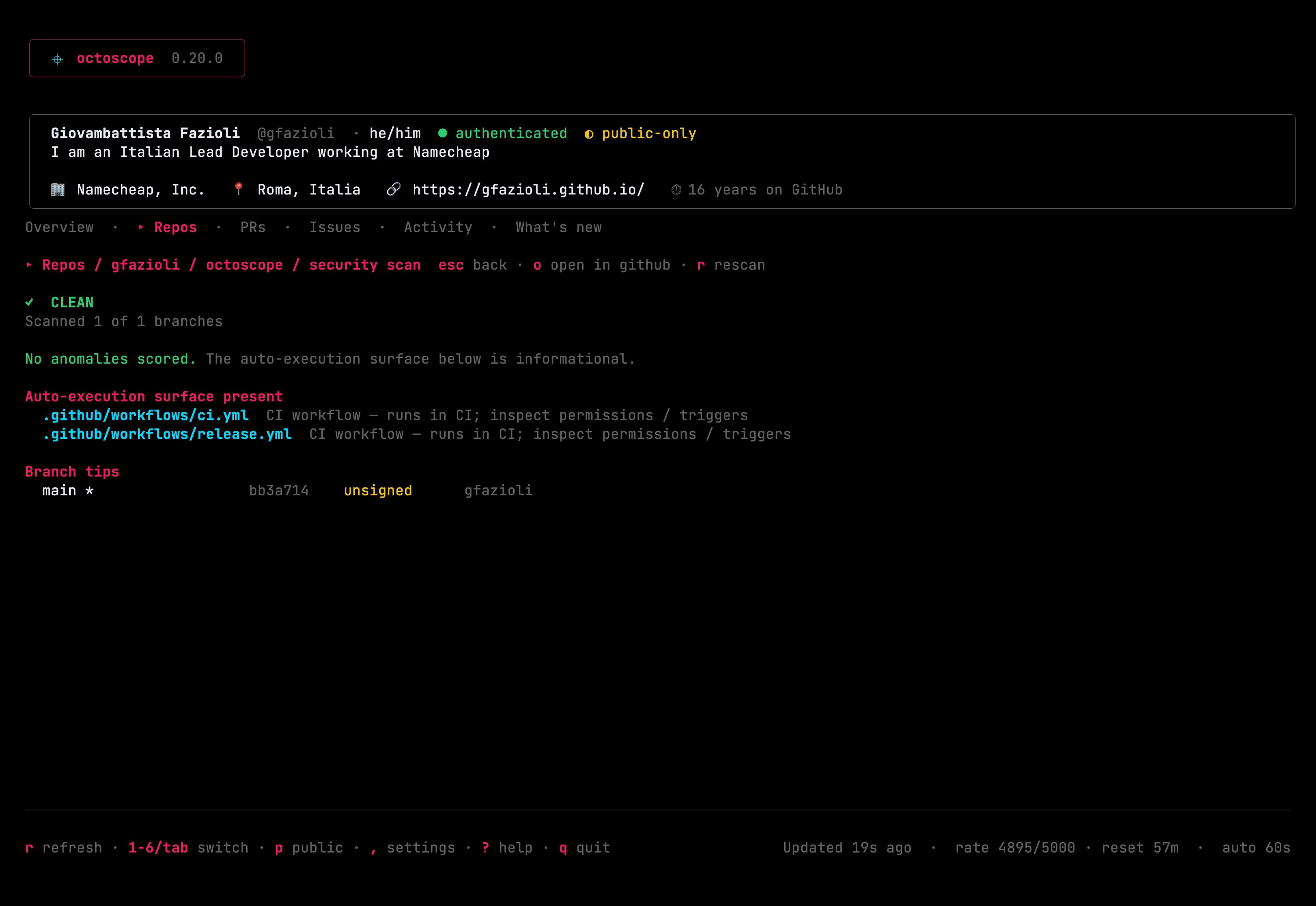
Each scan records a fingerprint of the repository's auto-execution surface — which scoring files exist on which branches, and whether each branch tip was signed — and the next scan reports what moved: a file that auto-executes appeared, an existing one changed, or a branch tip that used to be signed no longer is.
This is the most durable signal octoscope has, because it cares about neither the filename nor the contents: a variant that renames its dropper and obfuscates it differently still has to appear, and appearing is what gets caught.
- The first scan of a repo says so explicitly. No baseline means no comparison — never a confirmed "nothing changed".
- A baseline older than 30 days still lists what changed, but stops affecting the verdict: months of legitimate drift would otherwise train you to ignore it.
- The report says how wide its comparison window was — "compared against a baseline recorded 29 days ago", once, under the verdict. The scan runs when you ask it to rather than on a schedule, so the store records when you were looking, not what happened over time; without the span you cannot tell a real signal from an artefact of when you happened to press the key. It shows on a quiet report too, which is the case that matters most: "nothing changed" over a coffee break and over a year are very different statements. Always phrased as a gap, never as "unchanged for 29 days", which would claim a continuous watch octoscope does not keep — and a capture time that is missing or implausible is reported as an unknown age rather than turned into a number.
- A file that changes back is recognised. octoscope remembers every distinct version it has seen at a path, so
A → B → Areports the return: "this exact content was observed here before, on 2026-06-01". No expiry — a fixed lookback would be a published waiting time, and waiting is exactly what this is meant to catch. A note, not a score: reverting is usually someone undoing a mistake. And it says observed, never was here — an on-demand scan can't know what stood there while nobody was looking. - Everyday files that change constantly —
package.json, editor task files — are deliberately not tracked, so real signal doesn't get buried under your own commits.
When the baseline moves. Every scan that completes attempts the write — automatically, with no confirmation step, and whatever the verdict. That last part is deliberate: a repository that is already compromised still gets a history. It is also the part worth knowing before you meet it in a report — scan a repository while it is already flagged and that state becomes the baseline, so the next scan can find nothing changed. The report carries a weight-0 line saying so when it happens: "the baseline itself was recorded while this repository was already likely compromised
— an absence of changes is not a clean bill of health".
A scan that returns an error does not attempt it at all, so the previous baseline survives — but a blob or lockfile that could not be read is not such an error: the report says the file went unread, and the baseline is recorded anyway. And the attempt can fail silently: if the store cannot be written the scan does not tell you, because losing a baseline costs one comparison and is not worth failing a finished scan over.
It moves only when you scan. Nothing is watching: the baseline changes when you run the scan from a repository's action menu — space, then s — not when a commit lands or a lockfile changes. (In the list itself, s cycles the sort order.) It is per repository, keyed owner/name, so repositories with different security postures never interfere with each other, and a rename starts a fresh history rather than inventing a delta. And what the baseline records is the surface, not the report: a dependency that stops running code at install moves your baseline even when the report has no room to list it — one lockfile's findings are capped, departures rank last, and the remainder is counted rather than shown.
This is the one thing octoscope writes on its own: scan-baselines.json, next to your config file. Deleting it is harmless — the next scan simply starts a new baseline.
What your dependencies started running
Since v0.33.0. The delta above sees what auto-executes in your source. It cannot see a dependency that starts executing on npm install — that is not a new file and not a code change, it is a lockfile diff, and a lockfile diff is the one part of a pull request nobody reads line by line.
So the scan reads package-lock.json / npm-shrinkwrap.json on the default branch and records the subset of dependencies that carry an install script, keyed by name@version:
- A dependency that did not run code at install and now does.
- The same version shipping different content — no upgrade explains that one, so it weighs more.
- An ordinary version bump, or a dependency that stopped running code at install: listed, never scored.
It records the subset rather than the file because the file churns and the subset does not. Measured over the last 20 lockfile revisions of axios/axios, npm/cli and nodejs/undici — 57 in all — the subset moved twice, and the same version was never republished once. That measured base rate is what lets the sharp case carry weight instead of teaching you to skip it.
- npm only, and it says so. pnpm dropped its build declaration at lockfileVersion 9 and Yarn never had one, so building on them would ship a rule that decays. A repository whose only lockfile is theirs gets an explicit line saying its dependency surface was not compared.
- The same goes for no lockfile at all, one too large to read, and a schema octoscope has not measured. Silence would look exactly like nothing running code at install. Since 0.34.0 "too large" means past 4 MiB, the lockfile's own ceiling — measured against thirteen real lockfiles, two of which were above the 1.5 MiB it used to share with the obfuscation analysis.
- A workspace package is identified by its name, not its location (0.34.0). Moving
packages/clitoapps/cliused to read as one dependency beginning to execute code at install and another stopping — a monorepo reorganisation could produce a burst of them. The first scan after upgrading says it cannot compare the recorded surface, once, rather than inventing that burst. - octoscope never looks at the registry. The claim is that your dependencies' auto-execute surface changed — never that a dependency is malicious.
What a compromise could reach
The scan also reads your capability footprint: what permissions and triggers your workflows declare, plus self-hosted runners, write-access deploy keys and webhooks delivering off GitHub.
Holding power is not itself a finding. A release workflow asking for contents: write and reading secrets is completely normal — only someone who can already push a tag can trigger it, so it stays inventory. What scores is power reachable from untrusted input: a pull_request_target workflow holding the repository's secrets, or a self-hosted runner that an outsider's pull request can reach.
Since v0.28.0 it doesn't take a workflow file at its word, because one file is often not the whole story:
- Chains are followed. A fork-triggered workflow holding nothing that calls one reading a secret is two harmless files apart and one path to that secret together. The finding names the caller an outsider arrives through, so you're never told a
workflow_callfile is fork-triggered without being shown how. - A chain it can't follow is said out loud. A
uses:into another repository — or one into your own that octoscope didn't read — is reported: "the scan could not follow 5 workflows this repository calls: acme/shared". It won't let that read like a chain which ended safely; "not checked" and "fine" must never wear the same appearance. A note, never a score: whether an outsider can reach the caller still decides what counts against the verdict, it just no longer decides whether you're told. - Power is bounded by whoever granted it. A called workflow holds what its caller passed, never more — GitHub only lets it reduce that. So one whose caller hands over nothing isn't credited with the permissions it declares, and a file nobody in the repo calls says so rather than guessing.
- Where the file sits counts. GitHub starts every one of these events only from your default branch, so the same privileged workflow on a feature branch can't be started by anyone. Since v0.36.0 octoscope stops scoring it there — and still lists it, naming the trigger, what it holds and the branch it would have to reach, because it's one merge away from mattering and nothing in the file would change.
- The permission never written down. A workflow declaring no
permissions:runs with your repository's default, which an owner can widen to read/write — invisible in the file. octoscope reads that setting and joins it in; where it can't, the report says so instead of deciding the workflow holds nothing.
Runners, deploy keys and webhooks need a token scope a minimal token won't have. Those checks fail open — the scan still runs — and the report names whichever ones it couldn't check, so a clean result is never mistaken for a complete one.
The full detection model — the four axes, the weighting, and the honest gaps — is written up in the supply-chain scan design doc.