
At a glance
Opens on your last dashboard
Since v0.39.0 the dashboard you saw last is on screen the moment octoscope starts, marked cached 3h ago · refreshing… until the live numbers land. Offline, it stays up and says so. Good for a week, in a file only you can read, and never under --public-only.
Someone to wait with
Since v0.36.0 a small octopus with a periscope heads every screen before the dashboard and looks around while your data loads; a smaller one stays beside the banner and wakes up on every refresh. It wears your theme's colours and adds no delay — it moves with the spinner and stops with it.
Wherever you already are
Archives for macOS, Linux and Windows, Homebrew, go install, a gh extension, or a container for CI — docker run … --json | jq. Every release also ships the bare executables, for a curl where unpacking is the awkward part.
Is it GitHub, or is it you?
When a fetch fails, octoscope asks GitHub's own status page and says which it is — at the moment you're deciding who to blame. Silent while GitHub is healthy, and silent if it can't check: a clean bill of health it hasn't verified is worse than none.
Your real GitHub inbox
Mentions, review requests, assignments and CI activity, unread and newest first — GitHub does not return them in time order, so octoscope sorts them. One key cuts through the noise, because three quarters of an inbox is usually a workflow reporting success. Read-only: enter takes you to the thread.
The code, not just the link
Your gists, newest first — and enter opens the file contents, syntax-highlighted, because a gist is a snippet and reading it is the point.
What you actually did
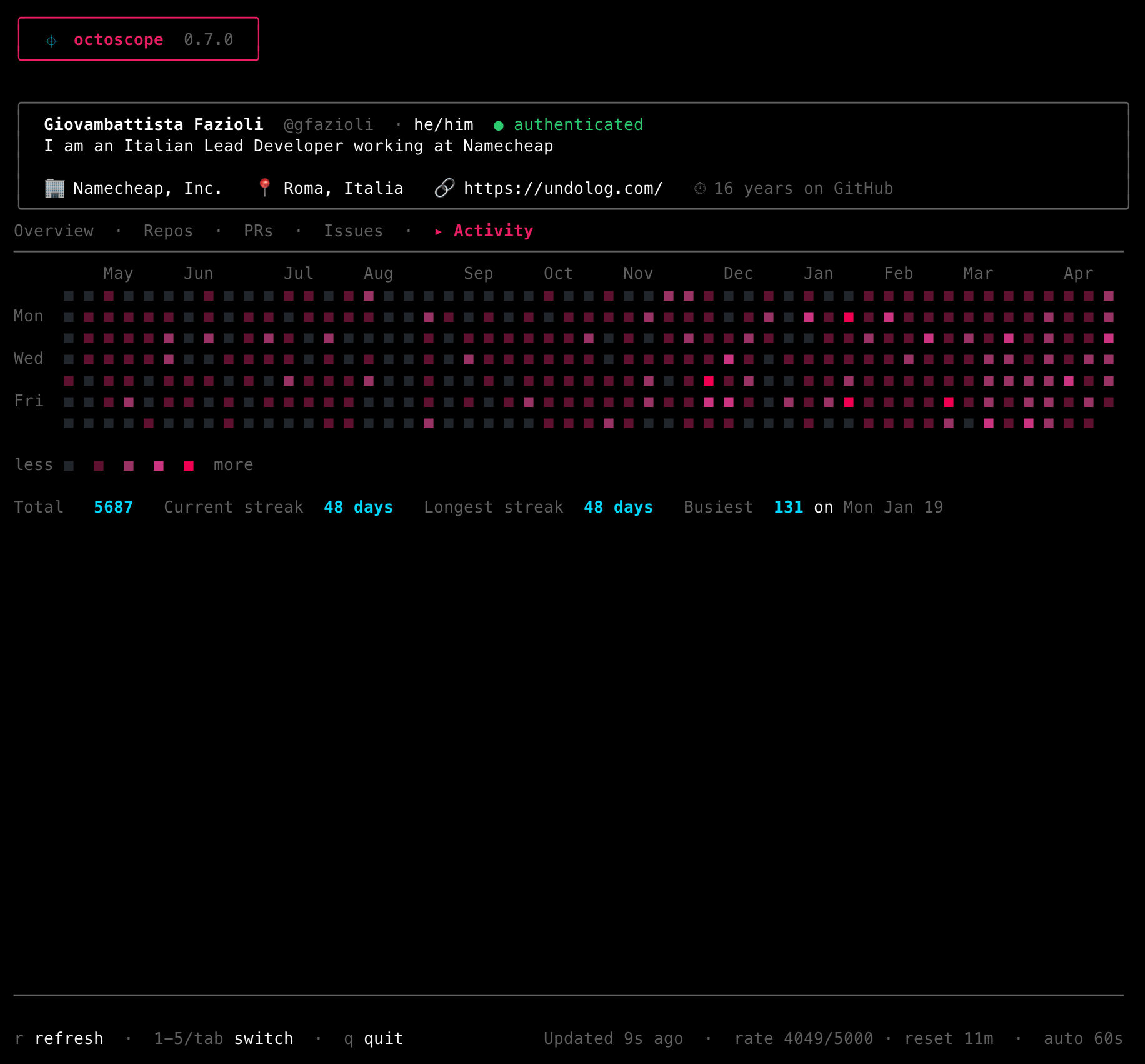
A timeline beside the heatmap: pushes, pull requests, reviews, releases, across every repository at once. Review chatter on one subject folds into a single row so it cannot bury the week.
Who funds your work
Sponsors received and given, by name, with GitHub's own monthly estimate for your own account.
What broke, not just that something did
Drill into a repo with a red rollup dot and the Checks section names the failing jobs — failures first, so a red one can't hide in a twenty-job matrix — with each name a terminal hyperlink straight to its run.
Who you are
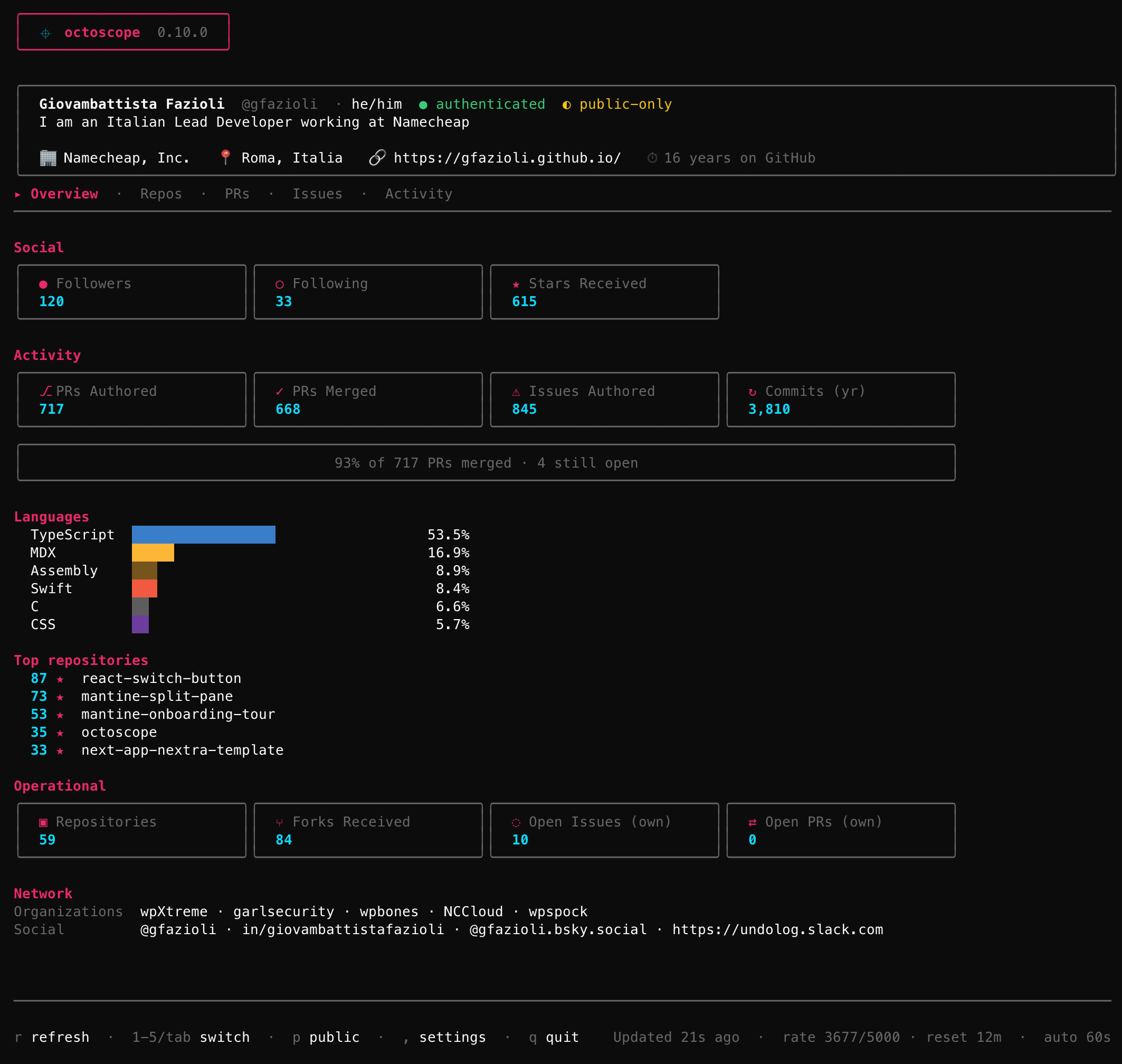
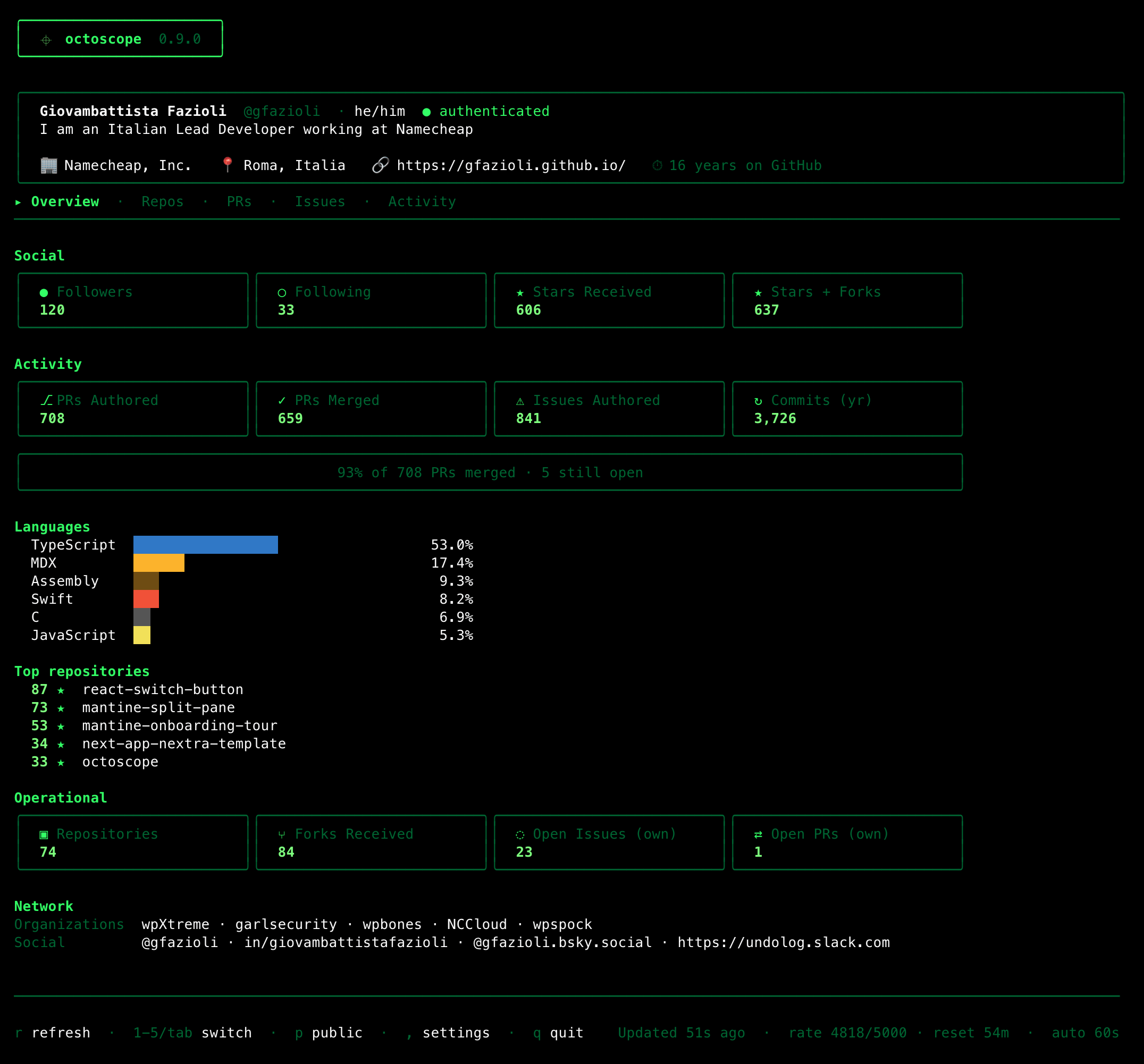
Name, login, pronouns, bio, company, location, website, and how many years you've been on GitHub.
Followers & stars
Followers, following, and total stars received across your non-fork repositories.
What you've shipped
Lifetime PRs authored and merged, issues opened, commits in the last year, plus a languages bar coloured with GitHub's own hex palette.
What's on your plate
Public repositories, forks received, open issues and open PRs across everything you own.
Where you belong
Organisations you're a member of and verified social accounts — X, LinkedIn, Bluesky, Mastodon.
Yours, or anyone else's
Run with no arguments for your own dashboard (with a token), or pass any GitHub username to see their public stats — octoscope torvalds, octoscope dhh, whoever.
See what moved
When a value changes between refreshes — a new star arrives, someone follows, a PR merges — the affected card's border flashes accent-pink for two seconds. No diffing numbers with your eyes.
Stars & followers, live
Changes to your Stars and Followers trigger a native system notification and a short beep. You notice passive attention even when octoscope is in a background tab. macOS, Linux and Windows — no configuration needed.
Stays current on its own
The dashboard re-fetches every 60 seconds, so while GitHub answers the numbers you're looking at are never more than a minute old — and when it doesn't, the footer says how old they are. Press r at any time for an on-demand refresh, q to quit.
Knows when to slow down
The footer surfaces your GitHub API budget live — rate 4872/5000 · reset 23m — coloured muted, warn-yellow under 20%, error-red under 5%. If you hit the ceiling, auto-refresh backs off until the bucket refills instead of hammering every 60s.
Safe for screenshots
Pass --public-only at launch — or hit p while running — to hide private repos, PRs and issues from the lists. Perfect for demos, screencasts and screenshots where you don't want internal work leaking. A yellow ◐ public-only badge sits next to authenticated in the profile card so you always know what mode you're in. Global counters stay complete; only the titles get filtered.
Says what actually went wrong
When a refresh fails, the dashboard stays on screen and the footer tells you why: rate-limited · retry at 14:23, token rejected · check $GITHUB_TOKEN, offline · retrying, or github errored · retrying — so you know whether to wait, fix auth, or check the network.
One keystroke deeper
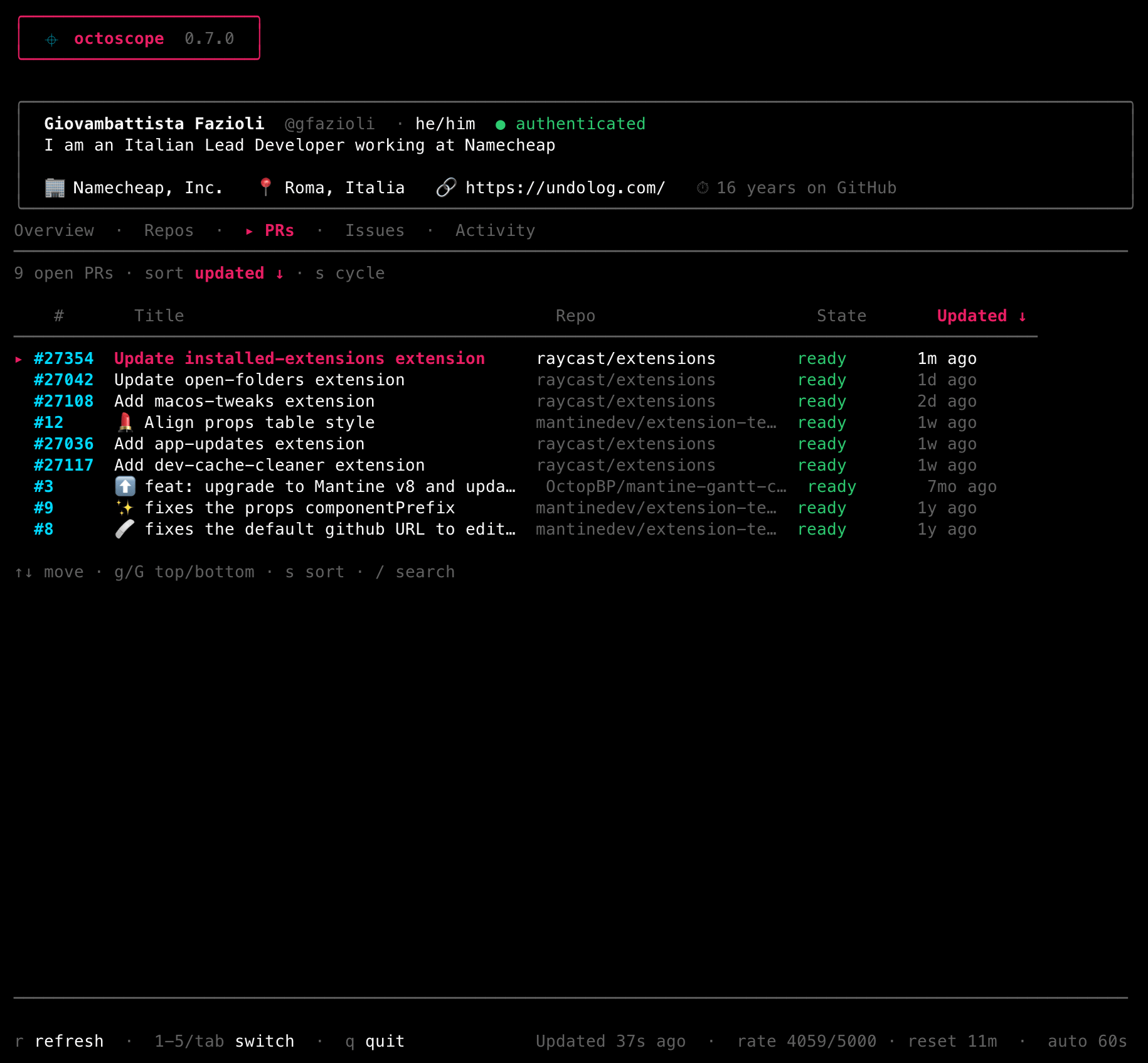
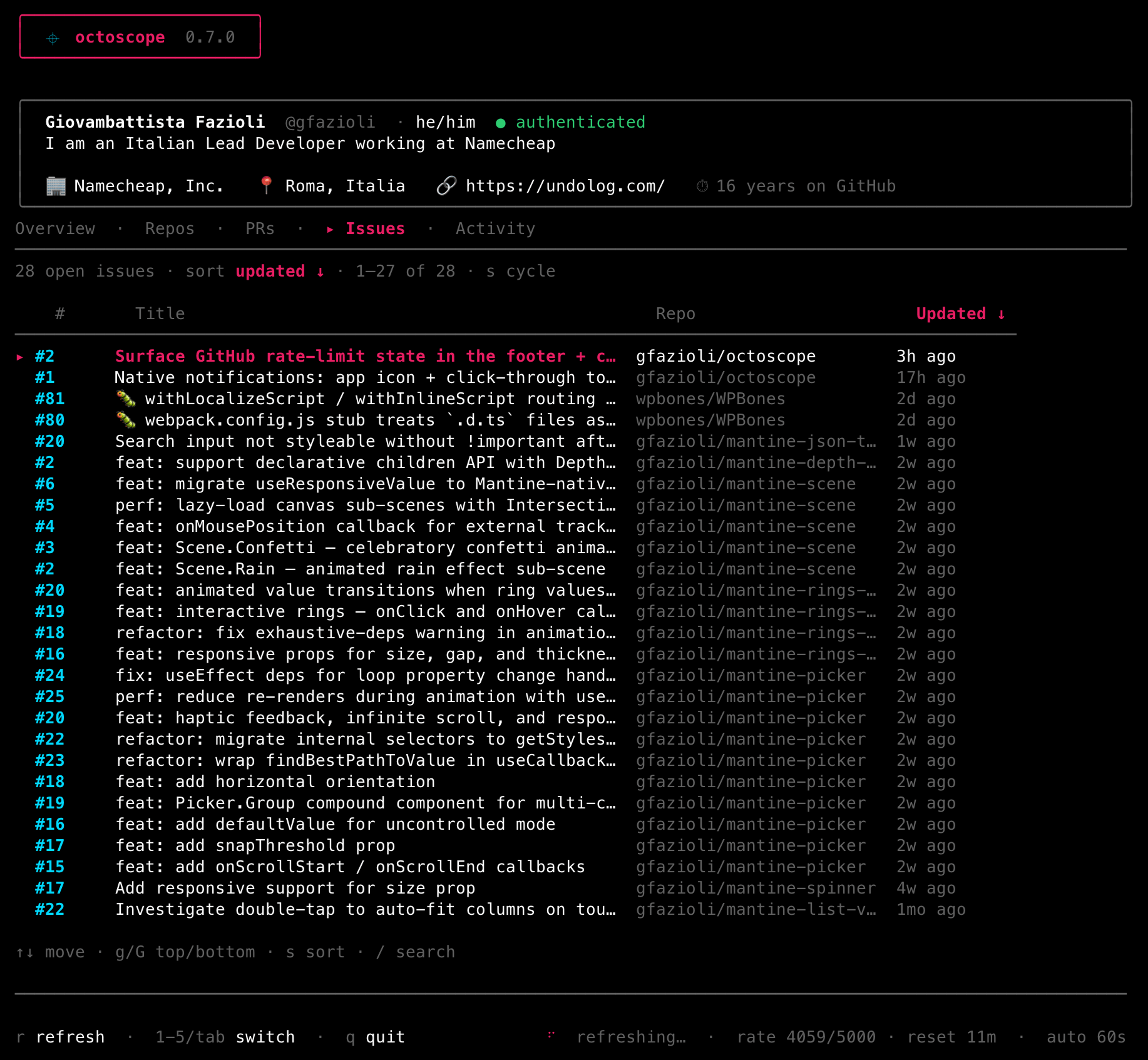
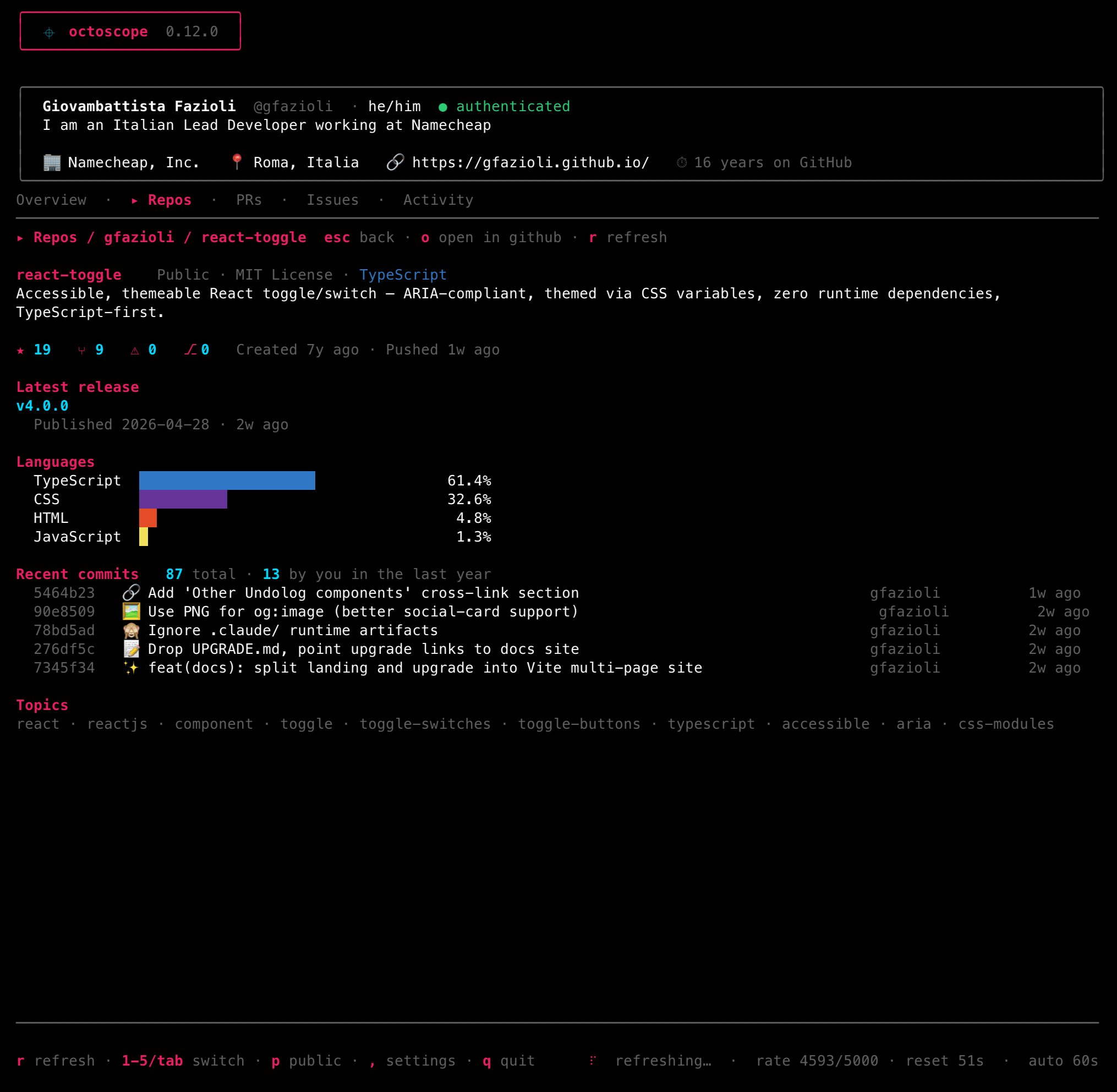
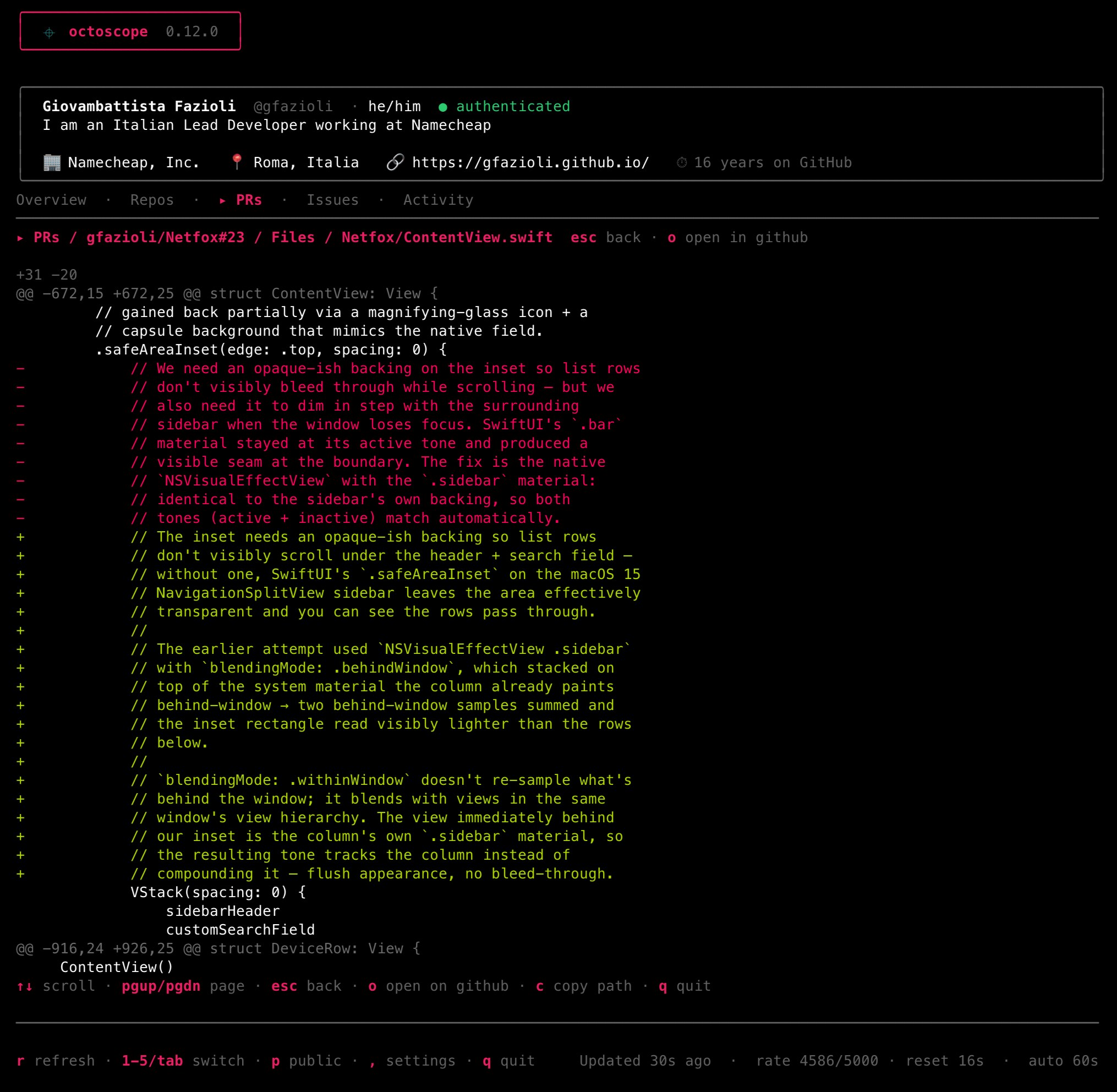
Press enter on any Repos / PRs / Issues row for a rich detail view — markdown description, reviewers, checks, comments, timelines. Inside a PR, f opens the changed files and their syntax-highlighted diffs inline.
The Repos tab, serious
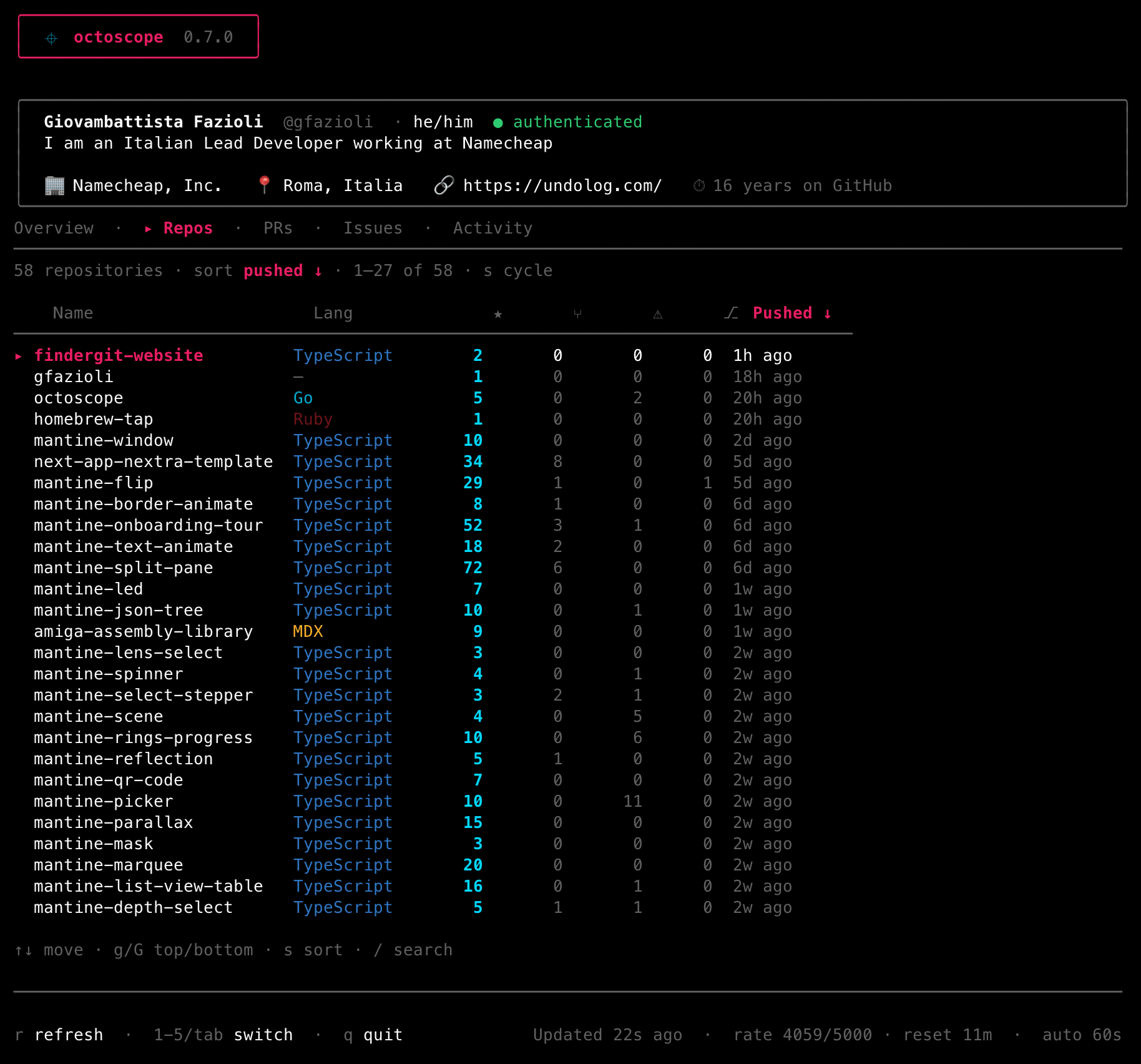
Since v0.13.0. A CI status dot on every row (green / red / yellow / dim) with a "by CI" sort that surfaces failures first. Press P to pin a repo to the top — persisted to your config.
Sparkline · releases · watched repos
Since v0.14.0. A 12-month star-history sparkline and a latest-release column in the Repos tab, plus watch_repos to monitor repositories you don't own in a dedicated section.
Notified when it matters
Since v0.15.0. A sticky "PRs awaiting your review" section when you're requested as a reviewer, plus richer macOS notification subtitles for star / follower changes.
Sponsor splash · What's new
Since v0.16.0. A launch sponsor splash (suppressed under --public-only) and a "What's new" tab (8) with the running version's highlights, bundled offline.
Lighter · safer · clickable
Since v0.17.0. Auto-refresh keeps exactly one timer, transient 5xx errors retry automatically, and Sponsors / release URLs are clickable OSC 8 hyperlinks. Pasting into the filter works; backspace is multibyte-safe.
Stars · rate-limit · work filters
Since v0.18.0. v toggles the star sparkline between density and a cumulative curve, % opens a rate-limit detail panel, and w cycles work filters (PRs open, CI broken, stale 90d).
Update notice · full repo totals
Since v0.19.0. A quiet update notice with the right upgrade command for how you installed it (it never self-updates), and the dashboard now counts all your repos instead of just the first 100.
Catch the supply-chain worm
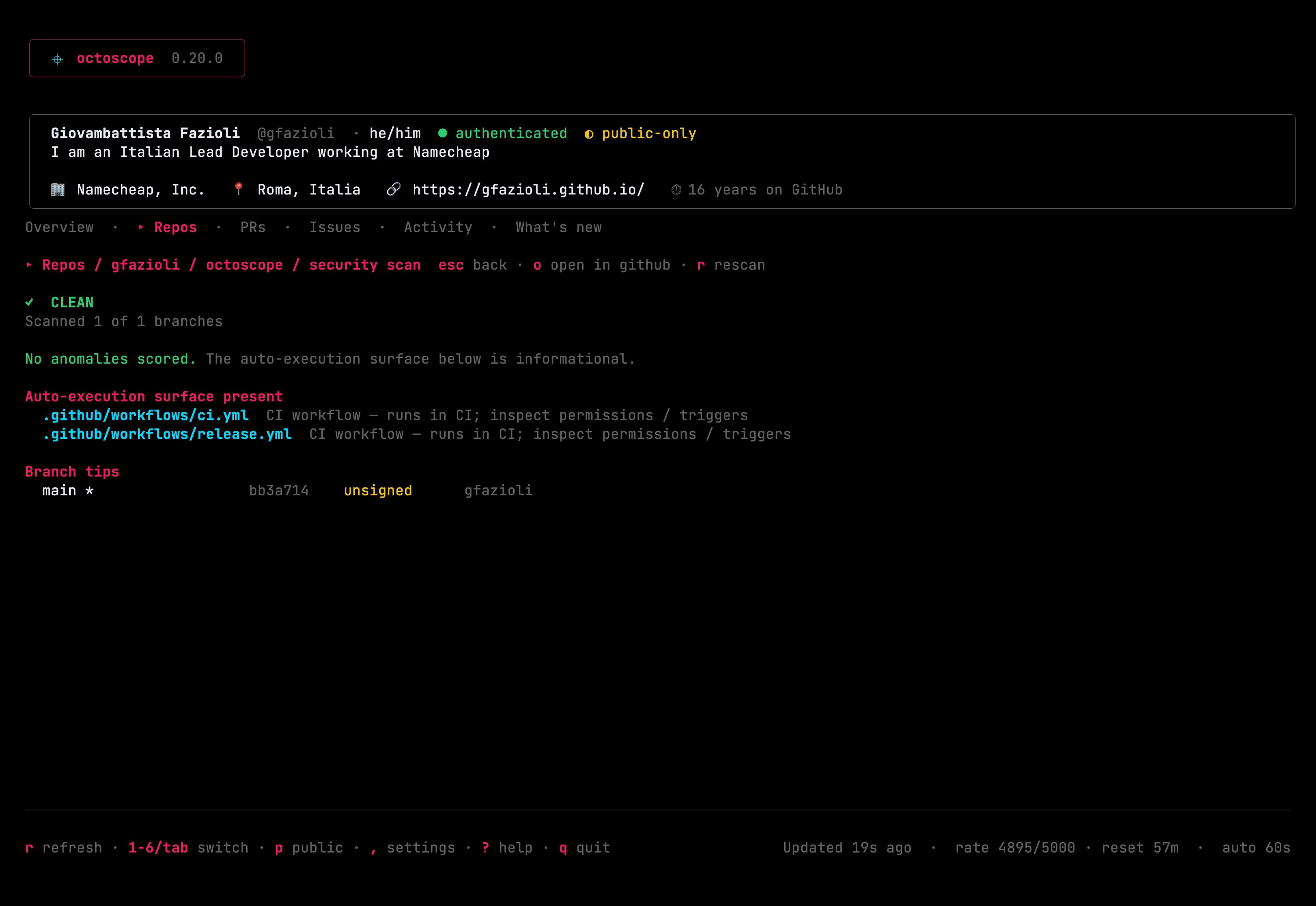
Since v0.20.0. On a repo's action menu, s runs a read-only supply-chain integrity scan for the Shai-Hulud / Miasma class of attack — scoring auto-execution surfaces, oversized / obfuscated payloads and forged or unsigned commit tips, not a single filename, so renamed variants still trip it. It explains every finding and hands you a fix script plus the right revoke links; it never touches the repo.
Float what matters to the top
Since v0.21.0. Press P on an Issues row to pin it — pinned issues stick to the top of the tab in the order you pin them, compose with the sort cycle and / search, and are persisted to pinned_issues in your config. The same sticky-section treatment the Repos tab already had.
Respects NO_COLOR
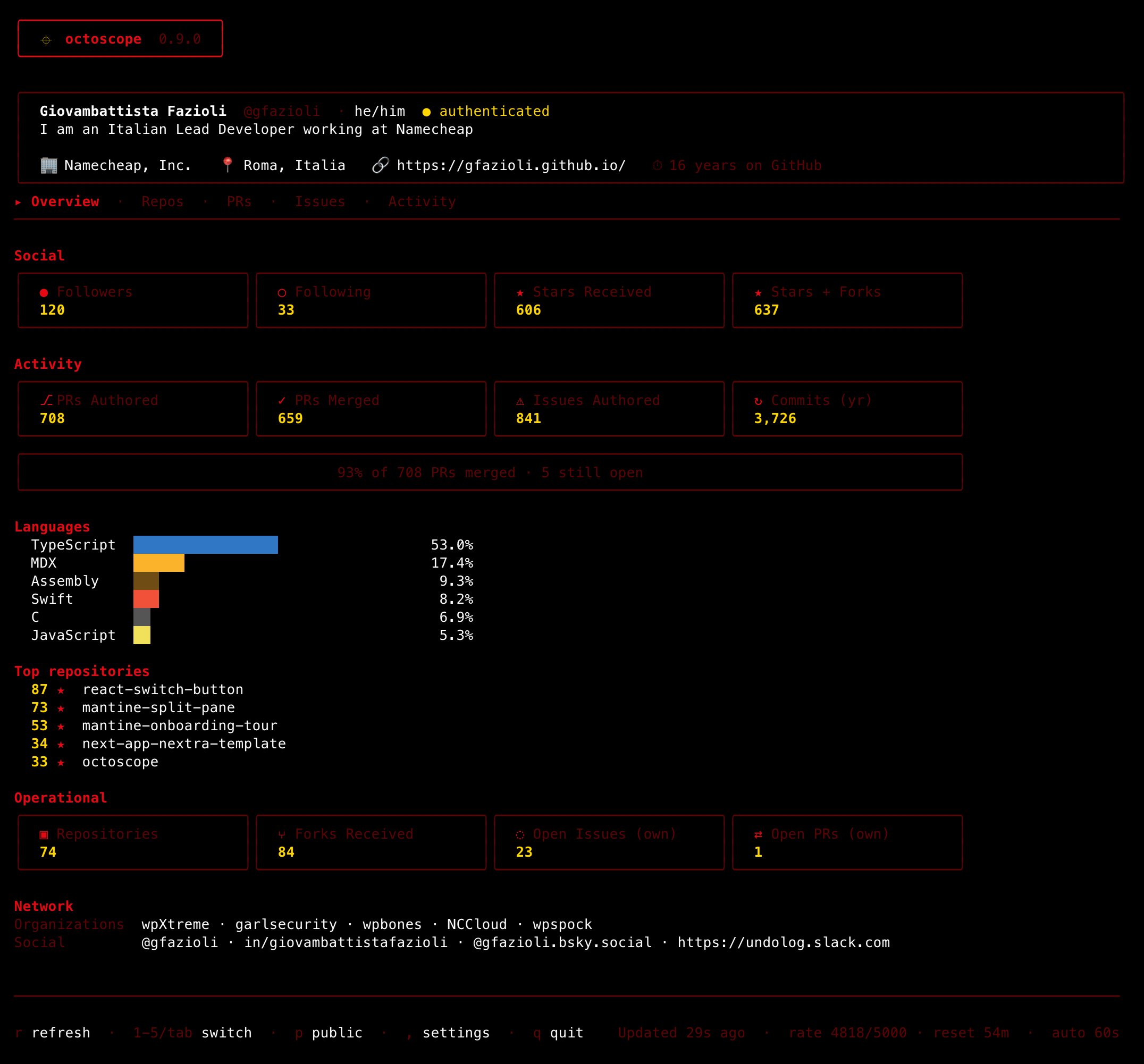
Since v0.22.0. Set NO_COLOR in your environment or pass --no-color and octoscope drops to its zero-chroma monochrome theme, overriding --theme and the config. It's per-run only — your saved theme and accent come back the moment NO_COLOR is unset.
Kinder errors · saved views
Since v0.23.0. Auth failures now name the fix — an expired token points at the regenerate URL (or gh auth refresh), missing scopes are named — stale watch_repos entries surface a notice instead of vanishing, and default_sort / default_work_filter / default_star_history open octoscope the way you like it.
Pipe it · --plain & --json
Since v0.24.0. Run octoscope --plain for a static text summary, or octoscope --json for a stable, versioned JSON contract you can pipe into jq, cron jobs or a shell status-line — no TUI. Both honour --public-only and the usual auth cascade, and take your recent activity (--activity) and unread inbox (--inbox) on request.
Notices what changed, not just what's there
The supply-chain scan records a fingerprint of what auto-executes in a repo, then reports what moved since: a file that appeared, one whose contents changed, a branch tip that stopped being signed, a dependency that started running code at npm install — or the same version of one shipping different content. It also maps what a compromise could reach — workflow permissions and triggers, self-hosted runners, deploy keys, off-platform webhooks — and says which checks your token couldn't run.
Reads the path, not the file
Since v0.28.0. A fork-triggered workflow that holds nothing, calling one that reads a secret, is two harmless files read one at a time and one path to your secrets read together — so the scan follows the chain and names the caller an outsider comes through. Power travels the other way: a called workflow holds what its caller granted, never what it merely declares. And a workflow with no permissions: runs with your repository's default, which octoscope now reads instead of assuming.
Tune it to your habits
A ~/.config/octoscope/config.toml sets refresh_interval, public_only, compact, theme and more. CLI flags override per-run; , opens the in-app settings panel, applied live and persisted.
Documentation
The full guide is screenshot-forward and covers everything: getting started, a page per tab, the drill-ins and the integrity scan, themes, configuration and the settings panel, scripting with --plain / --json, a keyboard cheat-sheet, and the release notes for every version.
What octoscope can't show
Some things on your GitHub profile page aren't exposed by the GraphQL or REST APIs, so octoscope doesn't show them — achievements (Pull Shark, Starstruck, YOLO…), Highlights like the PRO badge, and the local time next to the location field. Surfacing any of these would require scraping the profile HTML, which we don't do.